
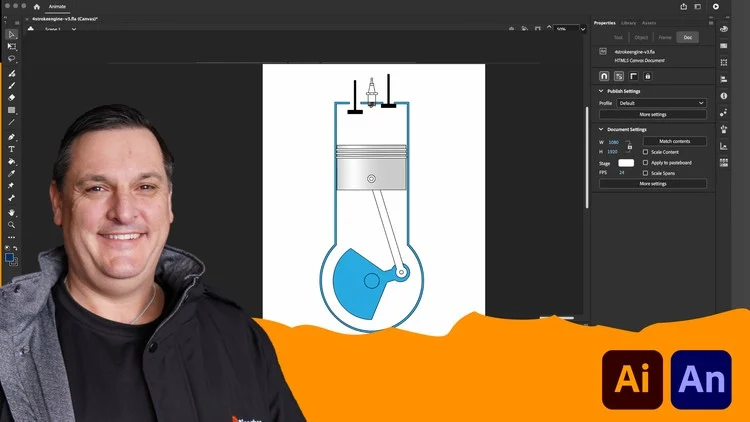
Create educational animations for eLearning with Animate
Dive into the world of Adobe Animate animation with Ricoshae’s Project Engine course.
Designed for educators, instructional designers, and digital content creators, this course offers a hands-on approach to building and animating a 4-stroke engine from scratch.
Utilising Adobe Illustrator and Adobe Animate, you’ll gain the skills to craft interactive animations that enhance online learning experiences.
Whether you’re just getting started with animation or looking to take your educational content to the next level, this hands-on course will guide you through the essential first steps of creating and animating custom visuals. Perfect for instructional designers, eLearning developers, and educators, the course begins with building a simple four-stroke engine using Adobe Illustrator. You’ll learn how to create clean, scalable vector graphics—an important foundation for animation work.
Once your engine graphic is complete, you’ll bring it to life in Adobe Animate. We’ll walk you through the animation process step by step, covering motion tweens, layers, and timeline control. By the end of the animation section, you’ll have a functioning animated diagram that clearly shows the moving parts of a basic engine—an ideal visual for technical education or science topics.
But we don’t stop there. The course also demonstrates how to export your animation for various learning environments and shows how to embed it into common learning management systems (LMS). As a bonus, you’ll learn how to add interactive buttons that allow learners to control the animation—adding a layer of engagement and user control that enhances learning outcomes.
No prior experience required—just a desire to create compelling educational visuals!
What you will learn:
- Adobe Illustrator Basics – Master the fundamentals of Illustrator to design detailed engine components.
- Animation Techniques – Learn to animate mechanical movements using Adobe Animate.
- Interactive Features – Incorporate interactive buttons to control animation playback.

Create beautiful eLearning with Articulate Rise
Starting from zero to get you up and designing as quickly as possible.
Designed for educators, instructional designers and content creators, this course helps you go from zero to expert in using Articulate Rise 360, part of the Articulate 360 suite. Taught by Chris Richter, it provides practical, hands‑on instruction in building polished, fully responsive e‑learning courses that work on any device.
Whether you’re new to Rise or looking to upgrade your skills, this course teaches you how to craft engaging micro learning modules or full‑length courses using Rise’s intuitive, block‑based editor. It emphasises real‑world workflows, design best practices, and accessibility for diverse learners.
In this course you will become familiar with the Articulate Rise 360 interface: course structure, templates, sections, and core content blocks like text, images, video, galleries, quotes, and interactive components. Build and assemble lessons from scratch: using pre‑built templates or custom layouts to define sections and lessons. Integrate rich media: add images, video, galleries, animation, and interactive quizzes or knowledge checks. Design for engagement: use branching scenarios, scenario blocks, and decision‑making interactions to keep learners actively involved. Customise themes and visual design: choose or adjust course themes, accessibility settings, branding, and navigation structure.
I will also cover how to publish and distribute: export your Rise course as SCORM, xAPI (Tin Can), AICC or cmi5 for LMS delivery; use Review 360 or Reach 360 for feedback, sharing, or mobile access.

Create Interactive Online Learning with H5P
Learn to Create Engaging Interactive Content
This practical, hands-on course introduces you to the core H5P content types used to create rich, interactive experiences in modern online learning environments. Designed especially for instructional designers, eLearning developers, and educators, the course takes you step-by-step through the most popular, versatile, and impactful H5P interactive types.
Throughout the course, you will explore how each content type works and discover when and where to use it to achieve the greatest educational impact. You’ll also review real-world examples of effective H5P use and learn practical design tips to help you create polished, professional results.
The course places a strong emphasis on accessibility, user experience, and learner engagement, providing you with techniques to ensure your interactive content is inclusive, effective, and user-friendly for all learners.
In addition to watching demonstrations, you will actively build your own H5P content through a series of guided mini-projects—one for each content type explored. These hands-on activities give you the opportunity to apply what you’ve learned immediately, reinforcing your new skills.
By the end of the course, you will have developed a portfolio of interactive H5P activities that you can confidently integrate into your own courses or share with clients and colleagues. Whether you are just starting with H5P or looking to refine your expertise, this course will equip you with the knowledge and tools to create dynamic, engaging online learning experiences that make a real impact.
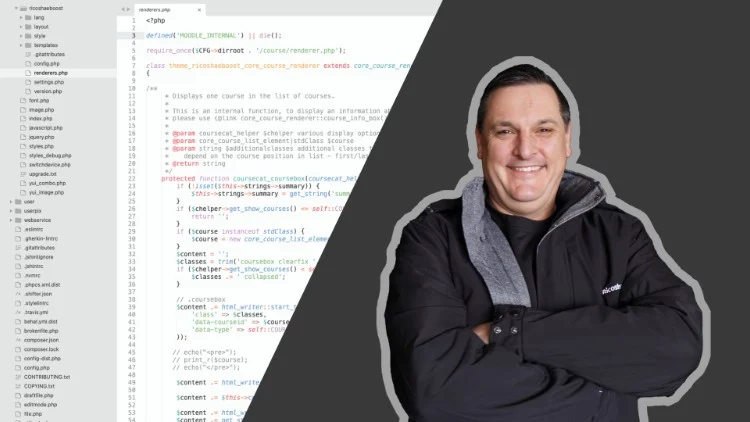
How to Create a Child Theme for Moodle 4
Learn how to build a child theme, use templates, renderers and configuration settings using PHP in the Moodle platform.
Welcome to “How to Create a Child Theme for Moodle 4”!
In this course, you will embark on an exciting journey to learn the ins and outs of creating a child theme for the Moodle Learning Management System (LMS). Whether you are an experienced PHP developer or looking to enhance your coding skills, this course is designed to equip you with the knowledge and tools necessary to create your own customisable child theme for Moodle.
Throughout the course, we will focus on the fundamental coding structure required to build a theme, as well as delve into the intricacies of modifying templates, utilising renderers, and creating theme configuration settings. We will be building a child theme based on the popular Moodle Boost theme, incorporating the powerful Bootstrap framework.
To ensure a hands-on learning experience, you will have access to the completed code for the child theme. This will not only allow you to analyse and understand the child theme, but also provide you with the opportunity to modify and personalise it according to your preferences. Please note that this course assumes you have access to a development server with Moodle 4.x installed, enabling you to build and test your child theme in a practical environment.
By the end of this course, you will have acquired the skills to confidently create your own child themes for Moodle 4, offering a tailored and visually appealing experience for Moodle users. This course will empower you to customise Moodle to suit your specific needs.
I am thrilled to have you join me on this exciting journey of theme creation for Moodle 4. Let’s get started and unlock the potential of a personalised Moodle experience together!
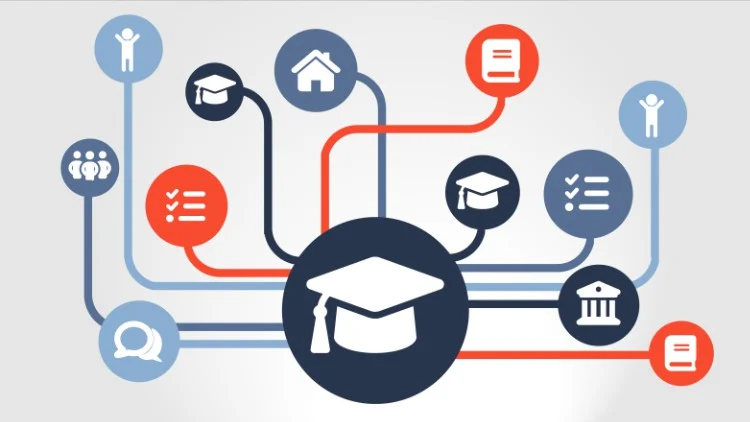
How to use Moodle 4.0 for Teachers and Course Creators
This course provides all the information you need to learn ‘how to’ in Moodle with walkthroughs, hints & tips and more.
Have you just started with Moodle and found all the information is scattered everywhere over the internet?
Then this is exactly what you need.
Everything you need to know in the one place that will show you how to complete all the common tasks that a course creator or teacher needs to work with Moodle.
Additional tricks and tips section showing you easier ways to create content and activities.
Course development walk throughs with examples demonstrating how to create a course from scratch and how to setup grade book.
This course will continue to evolve and provide the most up to date and useful course development instructions.
This course will get you on the right track, provide all the information you need to not only get started but to continue to learn and improve your Moodle course development skills.
How do I use Grade-book?
How do I use Scales or how do I use Letter?
This Moodle 4.0 course is perfect for teacher and course creators as well as being extremely useful for Moodle administrators that need to learn how Moodle works.
By working through the course you will learn about all the tools, activities, resources and plugins that are commonly used in delivery courses through the Moodle platform.
Let’s start Moodling…

Adobe Illustrator for web based instructional designers
Learn how to create clear, crisp illustrations to embed into your website.
Welcome to the Introduction to Adobe Illustrator for web based instructional designers.
My name is Chris Richter and in this class I will introduce you to Adobe Illustrator. I will show you how as an instructional designer, you can use Adobe Illustrator to create amazing designs that can be added to your web based content using SVG (Scalable Vector Graphics).
The content focuses on the basics of how to use Adobe Illustrator but then provides an introduction into the world of Web Development and SVG.
The practical use for this is that you can design graphics that will scale perfectly for mobile devices without having to be concerned with complex CSS calculations. You can create designs that are HTML based, scalable and easy to manage. You can also add classes to your Adobe Illustrator designs to apply your web theme colours and fonts.
We will work through 5 different projects creating the Adobe Illustrator file then exporting to SVG and adding the HTML to your web page.
This course is best suited to you if you are interested in web development and would like to learn how to use Adobe Illustrator to add meaningful graphics to your web content.
If you develop online education materials then this course will be suitable for you as it will teach you how to embed your designs into your HTML based training materials.
Let’s go.

How to create a block for Moodle using PHP
Step by step, detailed instructions taking you through the complete process from zero code to functioning block.
This course will take you through the complete process of developing a Moodle block. A ‘block’ is a special type of plugin that is used in Moodle that can be added to pages, dashboards and other display areas in Moodle. A ‘block’ has a unique set of requirements when developing in Moodle that will be covered in this course.
It is highly recommended that you have PHP, HTML, JavaScript and CSS experience before attempting to create a block in Moodle but it is not essential that you have worked in Moodle before.
This course will teach you the basic structure and requirements of a ‘block’, then take you through the actual process of:
- Creating a fully functioning block
- Adding the core files
- Managing plugin versions
- Adding the access file
- Adding instance configuration options
- Adding global config options
- Adding the language file for the block
- Completing a YouTube playlist RSS reader function to demonstrate the block
- Publishing the plugin to your Moodle LMS
The block process is recorded using Moodle 3.9 but the code can be used in Moodle 3.7.2.
This course is primarily for PHP developers, but if you have understand other programming languages you should be able to easily transfer your programming knowledge to PHP and to this course.

How to create a plugin for Moodle using PHP
Step by step, detailed instructions taking you through the complete process from zero code to functioning plugin.
This course will take you through the complete process of developing your first Moodle plugin.
It is highly recommended that you have PHP, HTML, JavaScript and CSS experience before attempting to create a plugin in Moodle but it is not essential that you have worked in Moodle before.
This course will teach you the basic structure and requirements of a plugin, then take you through the actual process of:
- creating the plugin
- adding the core files
- managing versions
- adding templates
- adding JavaScript
- a new database table for your plugin
- create, read and update data using forms
- provide data to templates
- access the Moodle database
- export data to CSV and PDF
- secure your pages
By the end of this course you will be ready to answer that question.
“Can Moodle do THIS?”
And you will be able to answer…
“Sure, let me write a plugin that will do it.”
The plugin process is recorded using Moodle 3.9 but the code can be used in Moodle 3.7.2+
This course does get deep into coding but I am sure you will enjoy it and learn so much that will save you searching for days on the internet to find the solution to creating your own first plugin.
I will see you in the course.

How to create responsive HTML and CSS in Moodle content
How to make your Moodle content stand out from the crowd. Make clean and responsive content for your HTML Moodle course.
In this course you will learn how to add various content components to the Moodle Learning Management System. You will learn how to make the content more responsive so that it is viewable on mobile devices, tablets and desktop devices.
You will learn how to import content from a Word document as clean HTML into Moodle.
You will also learn how to make templates and use HTML and CSS to quickly make changes to your content and make it much easier to manage and create quality looking and highly functional content.
You will learn quite a lot about HTML and CSS and even more about how you can use Moodle to create and manage content in a much more efficient manner.
This course does assume that you have administrator access to Moodle or at least access to an administrator that can install a plugin, templates and create courses for you.
Many Moodle themes are designed to be more responsive but sometimes the content that is created inside Moodle is far from responsive and suffers mainly because content developers are not taught the different ways they can develop content for Moodle.
During the course you will discover tips and hints to create better content for Moodle.